
Ransomware Basics for Small Businesses
Ransomware is scary because it can stop a small business cold. Files will not open. Invoices, photos, scheduling records, QuickBooks files, client documents, or shared drives may be locked. The goal is not a perfect enterprise program. The goal is to prevent the easiest attacks and make sure one infected computer does not become the end of the business.
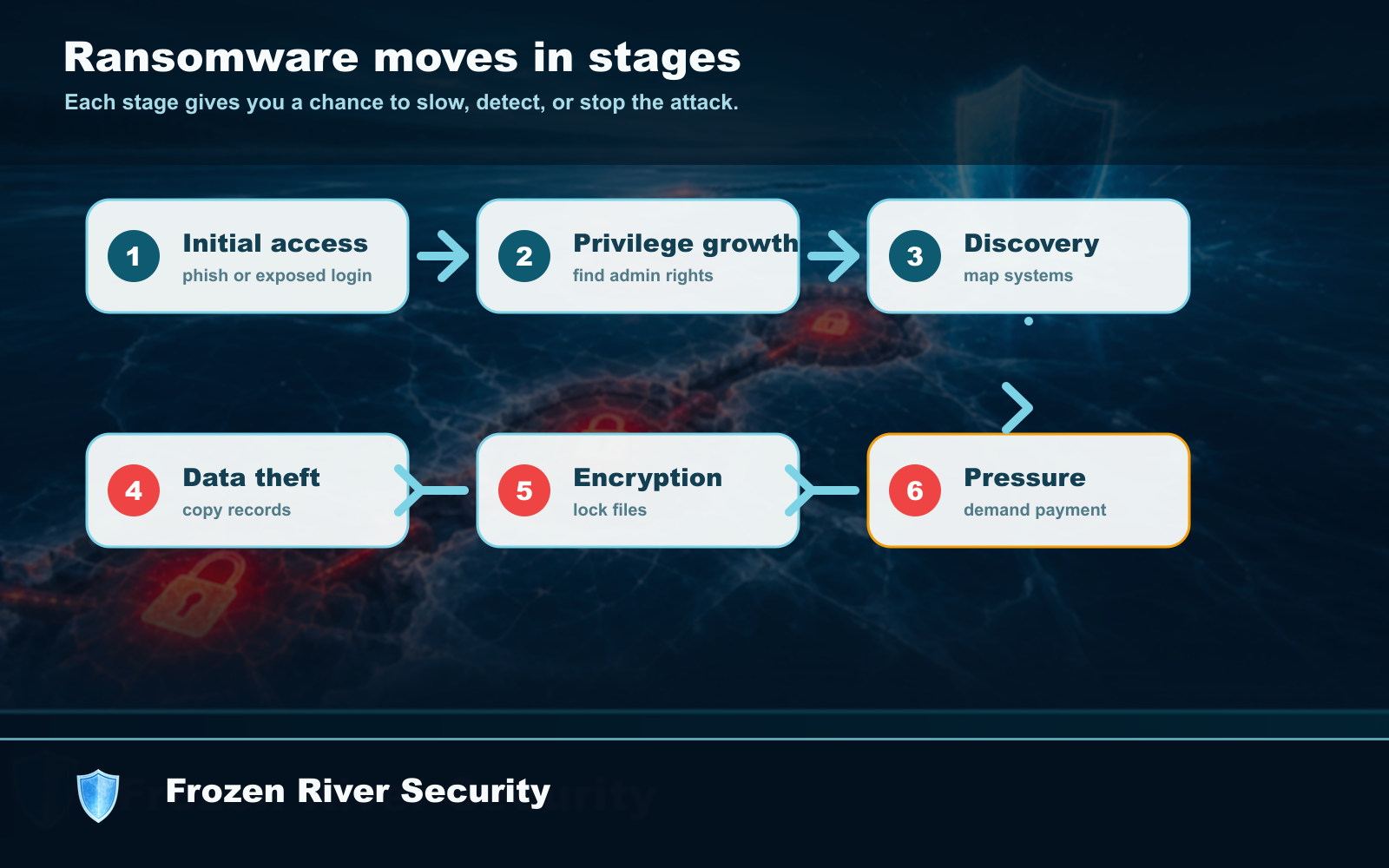
How it usually starts
Most small-business ransomware starts with something simple: someone opens a bad attachment, signs into a fake page, reuses a stolen password, or leaves remote access exposed. That means your first protections should also be simple: MFA, updates, backups, and caution with attachments.
What makes the damage worse
The damage grows when every computer can reach every file, everyone shares the same password, or the only backup is plugged into the same machine. A small business can reduce that risk without fancy tools by limiting shared folders, using separate accounts, and keeping at least one backup disconnected or protected from everyday changes.
What to do first
Start with the systems that would hurt most if they stopped working tomorrow: email, bookkeeping, scheduling, customer records, payment tools, and shared files. Protect those first before worrying about every possible device.
The small-business ransomware checklist
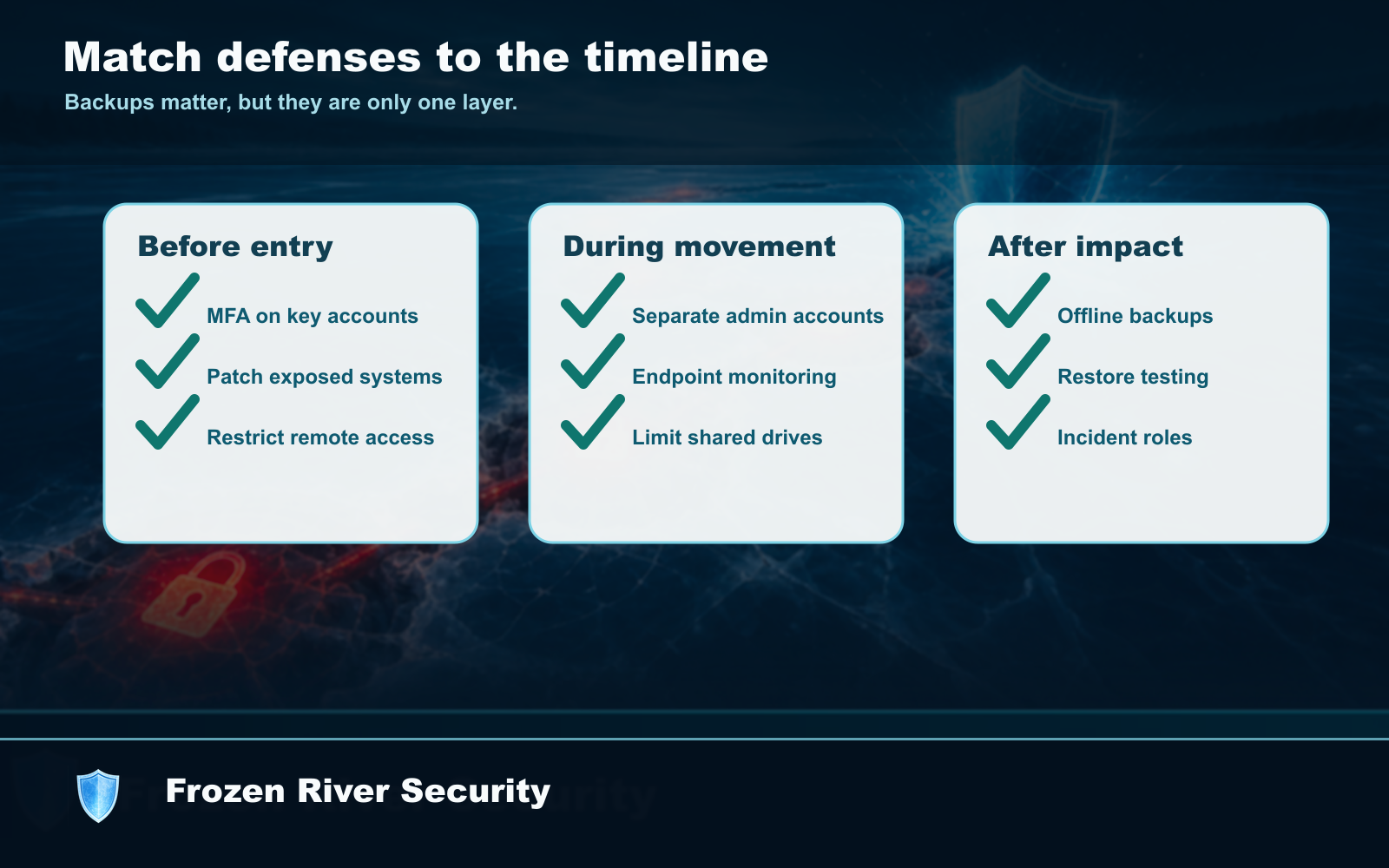
- Turn on MFA for email, banking, bookkeeping, payroll, and remote access.
- Back up important files automatically and test opening a restored file.
- Keep one backup disconnected, protected, or outside the normal computer login.
- Install updates for computers, browsers, routers, and business apps.
- Write down who to call if files suddenly will not open.
For a small business, the best ransomware plan is boring: MFA, updates, backups, and a phone number to call before panic takes over.